Version 2025-07 is the last API version to support React-based UI components. Later versions use Polaris web components, native UI elements with built-in accessibility, better performance, and consistent styling with Shopify's design system. Check out the upgrade guide to upgrade your extension and avoid being blocked from updating your extension after October 1st 2026.
Payment icon
The PaymentIcon component can be used for displaying payment-related information or features such as a user’s saved or available payment methods.
Supported targets
- Checkout::Actions::Render
Before - Checkout::Cart
Line Details::Render After - Checkout::Cart
Lines::Render After - Checkout::Contact::Render
After - Checkout::Customer
Information::Render After - Checkout::Delivery
Address::Render Before - Checkout::Dynamic::Render
- Checkout::Pickup
Locations::Render After - Checkout::Pickup
Locations::Render Before - Checkout::Pickup
Points::Render After - Checkout::Pickup
Points::Render Before - Checkout::Reductions::Render
After - Checkout::Reductions::Render
Before - Checkout::Shipping
Method Details::Render After - Checkout::Shipping
Method Details::Render Expanded - Checkout::Shipping
Methods::Render After - Checkout::Shipping
Methods::Render Before - Checkout::Thank
You::Cart Line Details::Render After - Checkout::Thank
You::Cart Lines::Render After - Checkout::Thank
You::Customer Information::Render After - Checkout::Thank
You::Dynamic::Render - purchase.
checkout. actions. render-before - purchase.
checkout. block. render - purchase.
checkout. cart-line-item. render-after - purchase.
checkout. cart-line-list. render-after - purchase.
checkout. contact. render-after - purchase.
checkout. delivery-address. render-after - purchase.
checkout. delivery-address. render-before - purchase.
checkout. footer. render-after - purchase.
checkout. header. render-after - purchase.
checkout. payment-method-list. render-after - purchase.
checkout. payment-method-list. render-before - purchase.
checkout. pickup-location-list. render-after - purchase.
checkout. pickup-location-list. render-before - purchase.
checkout. pickup-location-option-item. render-after - purchase.
checkout. pickup-point-list. render-after - purchase.
checkout. pickup-point-list. render-before - purchase.
checkout. reductions. render-after - purchase.
checkout. reductions. render-before - purchase.
checkout. shipping-option-item. details. render - purchase.
checkout. shipping-option-item. render-after - purchase.
checkout. shipping-option-list. render-after - purchase.
checkout. shipping-option-list. render-before - purchase.
thank-you. announcement. render - purchase.
thank-you. block. render - purchase.
thank-you. cart-line-item. render-after - purchase.
thank-you. cart-line-list. render-after - purchase.
thank-you. customer-information. render-after - purchase.
thank-you. footer. render-after - purchase.
thank-you. header. render-after
Supported targets
- Checkout::Actions::Render
Before - Checkout::Cart
Line Details::Render After - Checkout::Cart
Lines::Render After - Checkout::Contact::Render
After - Checkout::Customer
Information::Render After - Checkout::Delivery
Address::Render Before - Checkout::Dynamic::Render
- Checkout::Pickup
Locations::Render After - Checkout::Pickup
Locations::Render Before - Checkout::Pickup
Points::Render After - Checkout::Pickup
Points::Render Before - Checkout::Reductions::Render
After - Checkout::Reductions::Render
Before - Checkout::Shipping
Method Details::Render After - Checkout::Shipping
Method Details::Render Expanded - Checkout::Shipping
Methods::Render After - Checkout::Shipping
Methods::Render Before - Checkout::Thank
You::Cart Line Details::Render After - Checkout::Thank
You::Cart Lines::Render After - Checkout::Thank
You::Customer Information::Render After - Checkout::Thank
You::Dynamic::Render - purchase.
checkout. actions. render-before - purchase.
checkout. block. render - purchase.
checkout. cart-line-item. render-after - purchase.
checkout. cart-line-list. render-after - purchase.
checkout. contact. render-after - purchase.
checkout. delivery-address. render-after - purchase.
checkout. delivery-address. render-before - purchase.
checkout. footer. render-after - purchase.
checkout. header. render-after - purchase.
checkout. payment-method-list. render-after - purchase.
checkout. payment-method-list. render-before - purchase.
checkout. pickup-location-list. render-after - purchase.
checkout. pickup-location-list. render-before - purchase.
checkout. pickup-location-option-item. render-after - purchase.
checkout. pickup-point-list. render-after - purchase.
checkout. pickup-point-list. render-before - purchase.
checkout. reductions. render-after - purchase.
checkout. reductions. render-before - purchase.
checkout. shipping-option-item. details. render - purchase.
checkout. shipping-option-item. render-after - purchase.
checkout. shipping-option-list. render-after - purchase.
checkout. shipping-option-list. render-before - purchase.
thank-you. announcement. render - purchase.
thank-you. block. render - purchase.
thank-you. cart-line-item. render-after - purchase.
thank-you. cart-line-list. render-after - purchase.
thank-you. customer-information. render-after - purchase.
thank-you. footer. render-after - purchase.
thank-you. header. render-after
Payment icons can be used for displaying payment-related information or features such as a user’s saved or available payment methods.
- Anchor to namenamenamePaymentMethod | stringPaymentMethod | stringrequiredrequired
The name of the payment method whose icon should be displayed. Accepts any
value or a custom string for payment methods not yet in the predefined list.- Anchor to accessibilityLabelaccessibility
Labelaccessibility Label stringstring A label that describes the purpose or contents of the payment icon. When set, it will be announced to users using assistive technologies and will provide them with more context. Use this only when the icon requires an alternative internationalized label or when the default label included with the icon is not appropriate.
- Anchor to accessibilityVisibilityaccessibility
Visibilityaccessibility Visibility 'hidden' | 'visible''hidden' | 'visible'Default: 'visible'Default: 'visible' The visibility of the icon to assistive technologies.
hidden: The icon is hidden from assistive technology (for example, a screen reader) but remains visually visible.visible: The icon is announced by assistive technologies (the default behavior).
PaymentMethod
'7-eleven' | 'acima-leasing' | 'addi' | 'aeropay' | 'affin-bank' | 'affirm' | 'aftee' | 'afterpay-paynl-version' | 'afterpay' | 'airtel-money' | 'airteltigo-mobile-money' | 'aktia' | 'akulaku-paylater' | 'akulaku' | 'alandsbanken' | 'alfamart' | 'alfamidi' | 'alipay-hk' | 'alipay-paynl-version' | 'alipay' | 'alliance-bank' | 'alma' | 'amazon' | 'ambank' | 'american-express' | 'anyday' | 'apecoin' | 'aplazo' | 'apple-pay' | 'aqsat' | 'arhaus' | 'arvato' | 'ask' | 'astrapay' | 'atm-bersama' | 'atobaraidotcom' | 'atome' | 'atone' | 'atrato' | 'au-kantan-kessai' | 'axs' | 'bancnet' | 'bancontact' | 'bangkok-bank' | 'bank-islam' | 'bank-muamalat' | 'bank-rakyat' | 'bbva-cie' | 'bc-card' | 'bca-klikpay' | 'bca' | 'bdo' | 'belfius' | 'benefit' | 'biercheque-paynl-version' | 'bigc' | 'billease' | 'biller-paynl-version' | 'billie' | 'billink-method' | 'billink' | 'bitcoin-cash' | 'bitcoin' | 'bizum' | 'blik' | 'bnbchain' | 'bni' | 'bogus-app-coin' | 'boleto' | 'boost' | 'bpi' | 'bread-pay' | 'bread' | 'bri-direct-debit' | 'bri' | 'brimo' | 'bsi' | 'bsn' | 'bss' | 'busd' | 'careem-pay' | 'cartes-bancaires' | 'cash-app-pay' | 'catch-payments' | 'cebuana' | 'cetelem' | 'checkout-finance' | 'cimb-clicks' | 'cimb' | 'circle-k' | 'citadele' | 'clave-telered' | 'clearpay' | 'cleverpay' | 'cliq' | 'coinsph' | 'collector-bank' | 'coop' | 'coppel-pay' | 'credit-key' | 'creditclick-paynl-version' | 'credix' | 'd-barai' | 'dai' | 'daily-yamazaki' | 'dan-dan' | 'dana' | 'danamon-online' | 'dankort' | 'danske-bank' | 'dash' | 'depay' | 'deutsche-bank' | 'diners-club' | 'directpay' | 'discover' | 'divido' | 'dnb' | 'docomo-barai' | 'dogecoin' | 'dropp' | 'duologi' | 'dwolla' | 'ebucks' | 'echelon-financing' | 'ecpay' | 'eft-secure' | 'eghl' | 'elo' | 'elv' | 'enets' | 'eos' | 'epayments' | 'epospay' | 'eps' | 'esr-paymentslip-switzerland' | 'ethereum' | 'etika' | 'facebook-pay' | 'fairstone-payments' | 'familymart' | 'farmlands' | 'fashion-giftcard-paynlversion' | 'fashioncheque' | 'fawry' | 'finloup' | 'fintecture' | 'flexiti' | 'forbrugsforeningen' | 'fortiva' | 'fps' | 'fpx' | 'freecharge' | 'futurepay-mytab' | 'gcash' | 'generalfinancing' | 'genoapay' | 'gezondheidsbon-paynl-version' | 'giftcard' | 'giropay' | 'givacard' | 'gmo-bank-transfer' | 'gmo-postpay' | 'google-pay' | 'google-wallet' | 'gopay' | 'grabpay' | 'grailpay' | 'gusd' | 'hana-card' | 'handelsbanken' | 'hello-clever' | 'hong-leong-bank' | 'hong-leong-connect' | 'hsbc' | 'humm' | 'hyper' | 'hypercard' | 'hypercash' | 'hyundai-card' | 'ideal' | 'in3' | 'inbank' | 'indomaret' | 'ing-homepay' | 'interac' | 'ivy' | 'jcb' | 'jousto' | 'kakao-pay' | 'kakebaraidotcom' | 'kasikornbank' | 'kb-card' | 'kbc-cbc' | 'kfast' | 'klarna-pay-later' | 'klarna-pay-now' | 'klarna-slice-it' | 'klarna' | 'knet' | 'krediidipank' | 'kredivo' | 'krungsri' | 'krungthai-bank' | 'kueski-pay' | 'kunst-en-cultuur-cadeaukaart' | 'kuwait-finance-house' | 'laser' | 'latitude-creditline-au' | 'latitude-gem-au' | 'latitude-gem-nz' | 'latitude-go-au' | 'latitudepay' | 'lawson' | 'laybuy-heart' | 'laybuy' | 'lbc' | 'lhv' | 'line-pay' | 'linkaja' | 'linkpay' | 'litecoin' | 'lku' | 'lotte-card' | 'luminor' | 'lydia' | 'mada' | 'maestro' | 'mandiri' | 'mash' | 'master' | 'masterpass' | 'maxima' | 'maya-bank' | 'maya' | 'maybank-qrpay' | 'maybank' | 'maybankm2u' | 'mb-way' | 'mb' | 'mcash' | 'medicinos-bankas' | 'meeza' | 'merpay' | 'meta-pay' | 'ministop' | 'mobicred' | 'mobikwik' | 'mobilepay' | 'mode' | 'mokka' | 'momopay' | 'mondido' | 'monero' | 'mpesa' | 'mtn-mobile-money' | 'myfatoorah' | 'n26' | 'naps' | 'nationale-bioscoopbon' | 'nationale-entertainmentcard' | 'naver-pay' | 'nelo' | 'netbanking' | 'neteller' | 'nh-card' | 'nordea' | 'novuna' | 'ocbc-bank' | 'octo-clicks' | 'ola-money' | 'omasp' | 'op' | 'opay' | 'openpay' | 'ovo' | 'oxxo' | 'ozow' | 'pagoefectivo' | 'paid' | 'paidy' | 'palawa' | 'palawan' | 'pay-easy' | 'pay-pay' | 'paybylink' | 'payco' | 'payconiq' | 'payd' | 'payfast-instant-eft' | 'payflex' | 'payid' | 'paymark-online-eftpos' | 'paymaya' | 'payme' | 'paynow' | 'paypal' | 'payplan' | 'paypo' | 'paysafecard-paynl-version' | 'paysafecard' | 'paysafecash' | 'paysera' | 'paytm' | 'payto' | 'paytomorrow' | 'payu' | 'payzapp' | 'pei' | 'perlasfinance' | 'permata' | 'pivo' | 'pix' | 'podium-cadeaukaart' | 'poli' | 'polygon' | 'poppankki' | 'postfinance-card' | 'postfinance-efinance' | 'postpay' | 'pps' | 'przelew24' | 'przelewy24-paynl-version' | 'public-bank' | 'publicbank-pbe' | 'qr-promptpay' | 'qris' | 'qrph' | 'rabbit-line-pay' | 'rakuten-pay' | 'rapid-transfer' | 'ratepay' | 'rcbc' | 'rcs' | 'revolut' | 'rhb-bank' | 'rhb-now' | 'rietumu' | 'riverty-paynl-version' | 'rupay' | 'saastopankki' | 'sadad' | 'sam' | 'samsung-card' | 'samsung-pay' | 'santander' | 'satisfi' | 'satispay' | 'sbpl' | 'scalapay' | 'seb' | 'sepa-bank-transfer' | 'sequra' | 'sezzle' | 'shib' | 'shinhan-card' | 'shopeepay' | 'shopify-pay' | 'siam-commercial' | 'siauliu-bankas' | 'siirto' | 'sinpe-movil' | 'skrill-digital-wallet' | 'smartpay' | 'snap-checkout' | 'sofort' | 'softbank' | 'solanapay' | 'spankki' | 'spei' | 'splitit' | 'spotii' | 'spraypay' | 'standard-chartered' | 'stc-pay' | 'sunkus' | 'svea-b2b-faktura' | 'svea-b2b-invoice' | 'svea-credit-account' | 'svea-delbetalning' | 'svea-faktura' | 'svea-invoice' | 'svea-lasku' | 'svea-ostukonto' | 'svea-part-payment' | 'svea-yrityslasku' | 'sveaeramaksu' | 'swedbank' | 'swiftpay' | 'swish' | 'swissbilling' | 'synchrony-pay' | 'synchrony' | 'tabby' | 'tabit' | 'tamara' | 'tandympayment' | 'tbi-bank' | 'tendopay' | 'tensile' | 'tesco-lotus' | 'thanachart-bank' | 'toss' | 'touch-n-go' | 'trevipay' | 'truemoney-pay' | 'trustly' | 'twig-pay' | 'twint' | 'uae-visa' | 'uangme' | 'ubp' | 'unionpay' | 'unipay' | 'uob-ez-pay' | 'uob-thai' | 'uob' | 'upi' | 'urpay' | 'usdc' | 'usdp' | 'v-pay' | 'valu' | 'venmo' | 'viabill' | 'vipps' | 'visa-electron' | 'visa' | 'vvv-cadeaukaart-paynl-version' | 'vvv-giftcard' | 'walley' | 'wbtc' | 'webshop-giftcard' | 'wechat-pay' | 'wechat-paynl-version' | 'wegetfinancing' | 'xrp' | 'ymobile' | 'younited-pay' | 'zalopay' | 'zapper' | 'zinia' | 'zip' | 'zoodpay'Anchor to PaymentMethodPayment
'7-eleven' | 'acima-leasing' | 'addi' | 'aeropay' | 'affin-bank' | 'affirm' | 'aftee' | 'afterpay-paynl-version' | 'afterpay' | 'airtel-money' | 'airteltigo-mobile-money' | 'aktia' | 'akulaku-paylater' | 'akulaku' | 'alandsbanken' | 'alfamart' | 'alfamidi' | 'alipay-hk' | 'alipay-paynl-version' | 'alipay' | 'alliance-bank' | 'alma' | 'amazon' | 'ambank' | 'american-express' | 'anyday' | 'apecoin' | 'aplazo' | 'apple-pay' | 'aqsat' | 'arhaus' | 'arvato' | 'ask' | 'astrapay' | 'atm-bersama' | 'atobaraidotcom' | 'atome' | 'atone' | 'atrato' | 'au-kantan-kessai' | 'axs' | 'bancnet' | 'bancontact' | 'bangkok-bank' | 'bank-islam' | 'bank-muamalat' | 'bank-rakyat' | 'bbva-cie' | 'bc-card' | 'bca-klikpay' | 'bca' | 'bdo' | 'belfius' | 'benefit' | 'biercheque-paynl-version' | 'bigc' | 'billease' | 'biller-paynl-version' | 'billie' | 'billink-method' | 'billink' | 'bitcoin-cash' | 'bitcoin' | 'bizum' | 'blik' | 'bnbchain' | 'bni' | 'bogus-app-coin' | 'boleto' | 'boost' | 'bpi' | 'bread-pay' | 'bread' | 'bri-direct-debit' | 'bri' | 'brimo' | 'bsi' | 'bsn' | 'bss' | 'busd' | 'careem-pay' | 'cartes-bancaires' | 'cash-app-pay' | 'catch-payments' | 'cebuana' | 'cetelem' | 'checkout-finance' | 'cimb-clicks' | 'cimb' | 'circle-k' | 'citadele' | 'clave-telered' | 'clearpay' | 'cleverpay' | 'cliq' | 'coinsph' | 'collector-bank' | 'coop' | 'coppel-pay' | 'credit-key' | 'creditclick-paynl-version' | 'credix' | 'd-barai' | 'dai' | 'daily-yamazaki' | 'dan-dan' | 'dana' | 'danamon-online' | 'dankort' | 'danske-bank' | 'dash' | 'depay' | 'deutsche-bank' | 'diners-club' | 'directpay' | 'discover' | 'divido' | 'dnb' | 'docomo-barai' | 'dogecoin' | 'dropp' | 'duologi' | 'dwolla' | 'ebucks' | 'echelon-financing' | 'ecpay' | 'eft-secure' | 'eghl' | 'elo' | 'elv' | 'enets' | 'eos' | 'epayments' | 'epospay' | 'eps' | 'esr-paymentslip-switzerland' | 'ethereum' | 'etika' | 'facebook-pay' | 'fairstone-payments' | 'familymart' | 'farmlands' | 'fashion-giftcard-paynlversion' | 'fashioncheque' | 'fawry' | 'finloup' | 'fintecture' | 'flexiti' | 'forbrugsforeningen' | 'fortiva' | 'fps' | 'fpx' | 'freecharge' | 'futurepay-mytab' | 'gcash' | 'generalfinancing' | 'genoapay' | 'gezondheidsbon-paynl-version' | 'giftcard' | 'giropay' | 'givacard' | 'gmo-bank-transfer' | 'gmo-postpay' | 'google-pay' | 'google-wallet' | 'gopay' | 'grabpay' | 'grailpay' | 'gusd' | 'hana-card' | 'handelsbanken' | 'hello-clever' | 'hong-leong-bank' | 'hong-leong-connect' | 'hsbc' | 'humm' | 'hyper' | 'hypercard' | 'hypercash' | 'hyundai-card' | 'ideal' | 'in3' | 'inbank' | 'indomaret' | 'ing-homepay' | 'interac' | 'ivy' | 'jcb' | 'jousto' | 'kakao-pay' | 'kakebaraidotcom' | 'kasikornbank' | 'kb-card' | 'kbc-cbc' | 'kfast' | 'klarna-pay-later' | 'klarna-pay-now' | 'klarna-slice-it' | 'klarna' | 'knet' | 'krediidipank' | 'kredivo' | 'krungsri' | 'krungthai-bank' | 'kueski-pay' | 'kunst-en-cultuur-cadeaukaart' | 'kuwait-finance-house' | 'laser' | 'latitude-creditline-au' | 'latitude-gem-au' | 'latitude-gem-nz' | 'latitude-go-au' | 'latitudepay' | 'lawson' | 'laybuy-heart' | 'laybuy' | 'lbc' | 'lhv' | 'line-pay' | 'linkaja' | 'linkpay' | 'litecoin' | 'lku' | 'lotte-card' | 'luminor' | 'lydia' | 'mada' | 'maestro' | 'mandiri' | 'mash' | 'master' | 'masterpass' | 'maxima' | 'maya-bank' | 'maya' | 'maybank-qrpay' | 'maybank' | 'maybankm2u' | 'mb-way' | 'mb' | 'mcash' | 'medicinos-bankas' | 'meeza' | 'merpay' | 'meta-pay' | 'ministop' | 'mobicred' | 'mobikwik' | 'mobilepay' | 'mode' | 'mokka' | 'momopay' | 'mondido' | 'monero' | 'mpesa' | 'mtn-mobile-money' | 'myfatoorah' | 'n26' | 'naps' | 'nationale-bioscoopbon' | 'nationale-entertainmentcard' | 'naver-pay' | 'nelo' | 'netbanking' | 'neteller' | 'nh-card' | 'nordea' | 'novuna' | 'ocbc-bank' | 'octo-clicks' | 'ola-money' | 'omasp' | 'op' | 'opay' | 'openpay' | 'ovo' | 'oxxo' | 'ozow' | 'pagoefectivo' | 'paid' | 'paidy' | 'palawa' | 'palawan' | 'pay-easy' | 'pay-pay' | 'paybylink' | 'payco' | 'payconiq' | 'payd' | 'payfast-instant-eft' | 'payflex' | 'payid' | 'paymark-online-eftpos' | 'paymaya' | 'payme' | 'paynow' | 'paypal' | 'payplan' | 'paypo' | 'paysafecard-paynl-version' | 'paysafecard' | 'paysafecash' | 'paysera' | 'paytm' | 'payto' | 'paytomorrow' | 'payu' | 'payzapp' | 'pei' | 'perlasfinance' | 'permata' | 'pivo' | 'pix' | 'podium-cadeaukaart' | 'poli' | 'polygon' | 'poppankki' | 'postfinance-card' | 'postfinance-efinance' | 'postpay' | 'pps' | 'przelew24' | 'przelewy24-paynl-version' | 'public-bank' | 'publicbank-pbe' | 'qr-promptpay' | 'qris' | 'qrph' | 'rabbit-line-pay' | 'rakuten-pay' | 'rapid-transfer' | 'ratepay' | 'rcbc' | 'rcs' | 'revolut' | 'rhb-bank' | 'rhb-now' | 'rietumu' | 'riverty-paynl-version' | 'rupay' | 'saastopankki' | 'sadad' | 'sam' | 'samsung-card' | 'samsung-pay' | 'santander' | 'satisfi' | 'satispay' | 'sbpl' | 'scalapay' | 'seb' | 'sepa-bank-transfer' | 'sequra' | 'sezzle' | 'shib' | 'shinhan-card' | 'shopeepay' | 'shopify-pay' | 'siam-commercial' | 'siauliu-bankas' | 'siirto' | 'sinpe-movil' | 'skrill-digital-wallet' | 'smartpay' | 'snap-checkout' | 'sofort' | 'softbank' | 'solanapay' | 'spankki' | 'spei' | 'splitit' | 'spotii' | 'spraypay' | 'standard-chartered' | 'stc-pay' | 'sunkus' | 'svea-b2b-faktura' | 'svea-b2b-invoice' | 'svea-credit-account' | 'svea-delbetalning' | 'svea-faktura' | 'svea-invoice' | 'svea-lasku' | 'svea-ostukonto' | 'svea-part-payment' | 'svea-yrityslasku' | 'sveaeramaksu' | 'swedbank' | 'swiftpay' | 'swish' | 'swissbilling' | 'synchrony-pay' | 'synchrony' | 'tabby' | 'tabit' | 'tamara' | 'tandympayment' | 'tbi-bank' | 'tendopay' | 'tensile' | 'tesco-lotus' | 'thanachart-bank' | 'toss' | 'touch-n-go' | 'trevipay' | 'truemoney-pay' | 'trustly' | 'twig-pay' | 'twint' | 'uae-visa' | 'uangme' | 'ubp' | 'unionpay' | 'unipay' | 'uob-ez-pay' | 'uob-thai' | 'uob' | 'upi' | 'urpay' | 'usdc' | 'usdp' | 'v-pay' | 'valu' | 'venmo' | 'viabill' | 'vipps' | 'visa-electron' | 'visa' | 'vvv-cadeaukaart-paynl-version' | 'vvv-giftcard' | 'walley' | 'wbtc' | 'webshop-giftcard' | 'wechat-pay' | 'wechat-paynl-version' | 'wegetfinancing' | 'xrp' | 'ymobile' | 'younited-pay' | 'zalopay' | 'zapper' | 'zinia' | 'zip' | 'zoodpay''7-eleven' | 'acima-leasing' | 'addi' | 'aeropay' | 'affin-bank' | 'affirm' | 'aftee' | 'afterpay-paynl-version' | 'afterpay' | 'airtel-money' | 'airteltigo-mobile-money' | 'aktia' | 'akulaku-paylater' | 'akulaku' | 'alandsbanken' | 'alfamart' | 'alfamidi' | 'alipay-hk' | 'alipay-paynl-version' | 'alipay' | 'alliance-bank' | 'alma' | 'amazon' | 'ambank' | 'american-express' | 'anyday' | 'apecoin' | 'aplazo' | 'apple-pay' | 'aqsat' | 'arhaus' | 'arvato' | 'ask' | 'astrapay' | 'atm-bersama' | 'atobaraidotcom' | 'atome' | 'atone' | 'atrato' | 'au-kantan-kessai' | 'axs' | 'bancnet' | 'bancontact' | 'bangkok-bank' | 'bank-islam' | 'bank-muamalat' | 'bank-rakyat' | 'bbva-cie' | 'bc-card' | 'bca-klikpay' | 'bca' | 'bdo' | 'belfius' | 'benefit' | 'biercheque-paynl-version' | 'bigc' | 'billease' | 'biller-paynl-version' | 'billie' | 'billink-method' | 'billink' | 'bitcoin-cash' | 'bitcoin' | 'bizum' | 'blik' | 'bnbchain' | 'bni' | 'bogus-app-coin' | 'boleto' | 'boost' | 'bpi' | 'bread-pay' | 'bread' | 'bri-direct-debit' | 'bri' | 'brimo' | 'bsi' | 'bsn' | 'bss' | 'busd' | 'careem-pay' | 'cartes-bancaires' | 'cash-app-pay' | 'catch-payments' | 'cebuana' | 'cetelem' | 'checkout-finance' | 'cimb-clicks' | 'cimb' | 'circle-k' | 'citadele' | 'clave-telered' | 'clearpay' | 'cleverpay' | 'cliq' | 'coinsph' | 'collector-bank' | 'coop' | 'coppel-pay' | 'credit-key' | 'creditclick-paynl-version' | 'credix' | 'd-barai' | 'dai' | 'daily-yamazaki' | 'dan-dan' | 'dana' | 'danamon-online' | 'dankort' | 'danske-bank' | 'dash' | 'depay' | 'deutsche-bank' | 'diners-club' | 'directpay' | 'discover' | 'divido' | 'dnb' | 'docomo-barai' | 'dogecoin' | 'dropp' | 'duologi' | 'dwolla' | 'ebucks' | 'echelon-financing' | 'ecpay' | 'eft-secure' | 'eghl' | 'elo' | 'elv' | 'enets' | 'eos' | 'epayments' | 'epospay' | 'eps' | 'esr-paymentslip-switzerland' | 'ethereum' | 'etika' | 'facebook-pay' | 'fairstone-payments' | 'familymart' | 'farmlands' | 'fashion-giftcard-paynlversion' | 'fashioncheque' | 'fawry' | 'finloup' | 'fintecture' | 'flexiti' | 'forbrugsforeningen' | 'fortiva' | 'fps' | 'fpx' | 'freecharge' | 'futurepay-mytab' | 'gcash' | 'generalfinancing' | 'genoapay' | 'gezondheidsbon-paynl-version' | 'giftcard' | 'giropay' | 'givacard' | 'gmo-bank-transfer' | 'gmo-postpay' | 'google-pay' | 'google-wallet' | 'gopay' | 'grabpay' | 'grailpay' | 'gusd' | 'hana-card' | 'handelsbanken' | 'hello-clever' | 'hong-leong-bank' | 'hong-leong-connect' | 'hsbc' | 'humm' | 'hyper' | 'hypercard' | 'hypercash' | 'hyundai-card' | 'ideal' | 'in3' | 'inbank' | 'indomaret' | 'ing-homepay' | 'interac' | 'ivy' | 'jcb' | 'jousto' | 'kakao-pay' | 'kakebaraidotcom' | 'kasikornbank' | 'kb-card' | 'kbc-cbc' | 'kfast' | 'klarna-pay-later' | 'klarna-pay-now' | 'klarna-slice-it' | 'klarna' | 'knet' | 'krediidipank' | 'kredivo' | 'krungsri' | 'krungthai-bank' | 'kueski-pay' | 'kunst-en-cultuur-cadeaukaart' | 'kuwait-finance-house' | 'laser' | 'latitude-creditline-au' | 'latitude-gem-au' | 'latitude-gem-nz' | 'latitude-go-au' | 'latitudepay' | 'lawson' | 'laybuy-heart' | 'laybuy' | 'lbc' | 'lhv' | 'line-pay' | 'linkaja' | 'linkpay' | 'litecoin' | 'lku' | 'lotte-card' | 'luminor' | 'lydia' | 'mada' | 'maestro' | 'mandiri' | 'mash' | 'master' | 'masterpass' | 'maxima' | 'maya-bank' | 'maya' | 'maybank-qrpay' | 'maybank' | 'maybankm2u' | 'mb-way' | 'mb' | 'mcash' | 'medicinos-bankas' | 'meeza' | 'merpay' | 'meta-pay' | 'ministop' | 'mobicred' | 'mobikwik' | 'mobilepay' | 'mode' | 'mokka' | 'momopay' | 'mondido' | 'monero' | 'mpesa' | 'mtn-mobile-money' | 'myfatoorah' | 'n26' | 'naps' | 'nationale-bioscoopbon' | 'nationale-entertainmentcard' | 'naver-pay' | 'nelo' | 'netbanking' | 'neteller' | 'nh-card' | 'nordea' | 'novuna' | 'ocbc-bank' | 'octo-clicks' | 'ola-money' | 'omasp' | 'op' | 'opay' | 'openpay' | 'ovo' | 'oxxo' | 'ozow' | 'pagoefectivo' | 'paid' | 'paidy' | 'palawa' | 'palawan' | 'pay-easy' | 'pay-pay' | 'paybylink' | 'payco' | 'payconiq' | 'payd' | 'payfast-instant-eft' | 'payflex' | 'payid' | 'paymark-online-eftpos' | 'paymaya' | 'payme' | 'paynow' | 'paypal' | 'payplan' | 'paypo' | 'paysafecard-paynl-version' | 'paysafecard' | 'paysafecash' | 'paysera' | 'paytm' | 'payto' | 'paytomorrow' | 'payu' | 'payzapp' | 'pei' | 'perlasfinance' | 'permata' | 'pivo' | 'pix' | 'podium-cadeaukaart' | 'poli' | 'polygon' | 'poppankki' | 'postfinance-card' | 'postfinance-efinance' | 'postpay' | 'pps' | 'przelew24' | 'przelewy24-paynl-version' | 'public-bank' | 'publicbank-pbe' | 'qr-promptpay' | 'qris' | 'qrph' | 'rabbit-line-pay' | 'rakuten-pay' | 'rapid-transfer' | 'ratepay' | 'rcbc' | 'rcs' | 'revolut' | 'rhb-bank' | 'rhb-now' | 'rietumu' | 'riverty-paynl-version' | 'rupay' | 'saastopankki' | 'sadad' | 'sam' | 'samsung-card' | 'samsung-pay' | 'santander' | 'satisfi' | 'satispay' | 'sbpl' | 'scalapay' | 'seb' | 'sepa-bank-transfer' | 'sequra' | 'sezzle' | 'shib' | 'shinhan-card' | 'shopeepay' | 'shopify-pay' | 'siam-commercial' | 'siauliu-bankas' | 'siirto' | 'sinpe-movil' | 'skrill-digital-wallet' | 'smartpay' | 'snap-checkout' | 'sofort' | 'softbank' | 'solanapay' | 'spankki' | 'spei' | 'splitit' | 'spotii' | 'spraypay' | 'standard-chartered' | 'stc-pay' | 'sunkus' | 'svea-b2b-faktura' | 'svea-b2b-invoice' | 'svea-credit-account' | 'svea-delbetalning' | 'svea-faktura' | 'svea-invoice' | 'svea-lasku' | 'svea-ostukonto' | 'svea-part-payment' | 'svea-yrityslasku' | 'sveaeramaksu' | 'swedbank' | 'swiftpay' | 'swish' | 'swissbilling' | 'synchrony-pay' | 'synchrony' | 'tabby' | 'tabit' | 'tamara' | 'tandympayment' | 'tbi-bank' | 'tendopay' | 'tensile' | 'tesco-lotus' | 'thanachart-bank' | 'toss' | 'touch-n-go' | 'trevipay' | 'truemoney-pay' | 'trustly' | 'twig-pay' | 'twint' | 'uae-visa' | 'uangme' | 'ubp' | 'unionpay' | 'unipay' | 'uob-ez-pay' | 'uob-thai' | 'uob' | 'upi' | 'urpay' | 'usdc' | 'usdp' | 'v-pay' | 'valu' | 'venmo' | 'viabill' | 'vipps' | 'visa-electron' | 'visa' | 'vvv-cadeaukaart-paynl-version' | 'vvv-giftcard' | 'walley' | 'wbtc' | 'webshop-giftcard' | 'wechat-pay' | 'wechat-paynl-version' | 'wegetfinancing' | 'xrp' | 'ymobile' | 'younited-pay' | 'zalopay' | 'zapper' | 'zinia' | 'zip' | 'zoodpay'Anchor to ExamplesExamples
Anchor to Basic PaymentIconBasic Payment
Basic PaymentIcon
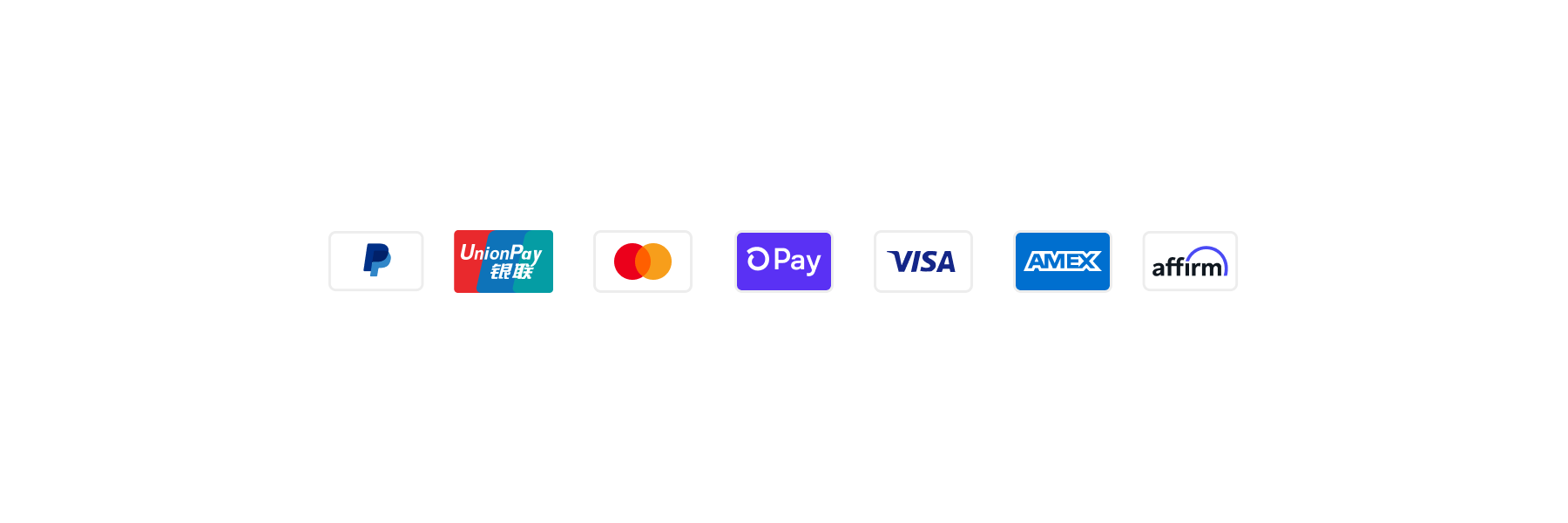
Basic PaymentIcon
React
import {
  reactExtension,
  PaymentIcon,
} from '@shopify/ui-extensions-react/checkout';

export default reactExtension(
  'purchase.checkout.block.render',
  () => <Extension />,
);

function Extension() {
  return <PaymentIcon name="shop-pay" />;
}
JS
import {extension, PaymentIcon} from '@shopify/ui-extensions/checkout';

export default extension('purchase.checkout.block.render', (root) => {
  const paymentIcon = root.createComponent(PaymentIcon, {name: 'shop-pay'});

  root.appendChild(paymentIcon);
});
Anchor to Best practicesBest practices
-
Add accessibility labels: Use the
accessibilityLabelproperty so screen readers can announce icons correctly. Keep the text brief and avoid repeating surrounding copy. -
Group icons in a row: Use
InlineStackwithdirection="inline"for a clean horizontal layout of multiple PaymentIcon components and limit the row to 6-8 icons to avoid an overwhelming layout. -
Maintain the border property: The border is designed to adapt to merchant branding in Checkout and ensures a consistent appearance across the buyer experience.
Anchor to LimitationsLimitations
- The PaymentIcon component's
nameproperty only accepts predefined payment method names. Custom payment brand icons or externally hosted images aren't supported. - No visual customization is available for the PaymentIcon component. Size, color, and aspect ratio are fixed.