Feature preview: Customer account improvements
Customer accounts are getting design updates to improve navigation, layout, visual design, consistency across devices, visibility of UI extensions, and more. Use this early preview to test your customer account UI extensions in the updated design.
These design updates are rolling out to merchants, so you might already see them on live stores. To test your UI extensions against the updated design, enable the Customer account improvements feature preview on a development store.
These design updates are rolling out to merchants, so you might already see them on live stores. To test your UI extensions against the updated design, enable the Customer account improvements feature preview on a development store.
These improvements create a more polished, consistent experience for customer accounts, and a stronger foundation for the UI extensions you build on top of them. The new single-column layout paired with responsive values means your UI extensions will render more predictably across screen sizes. More visible order action and order summary extensions also mean the features you build will be easier for customers to discover and use.
These changes don't break your existing work. All current extension targets remain supported, but testing your extensions now helps to ensure that they continue to look as intended when these design updates are released to merchants. The preview shows a work-in-progress version. We'll keep making improvements throughout the preview, so your feedback directly shapes what merchants get at GA.
Anchor to What's changingWhat's changing
- Native page layouts are now single-column by default. Full-page extensions default to full width, but you can choose to apply the narrower width.
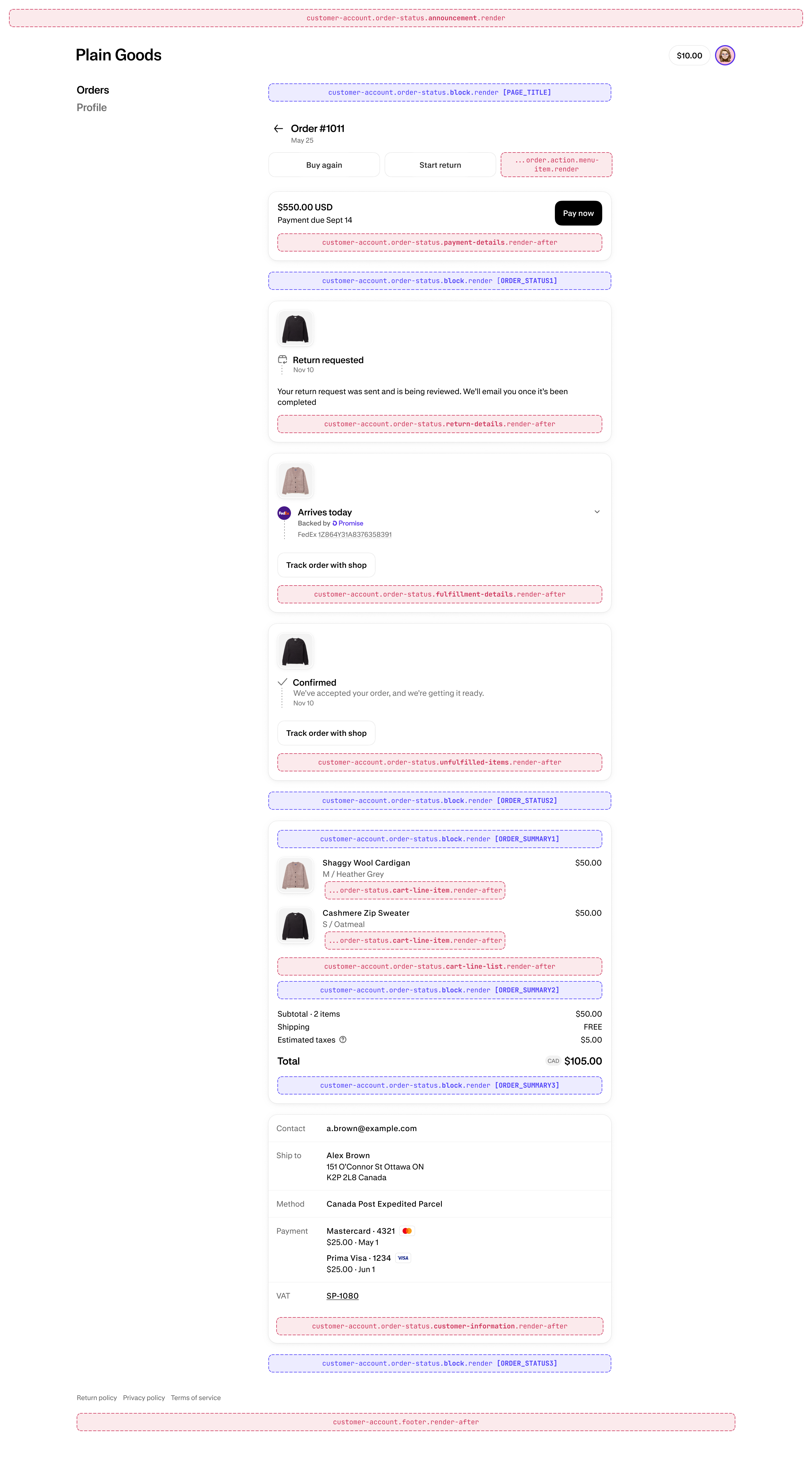
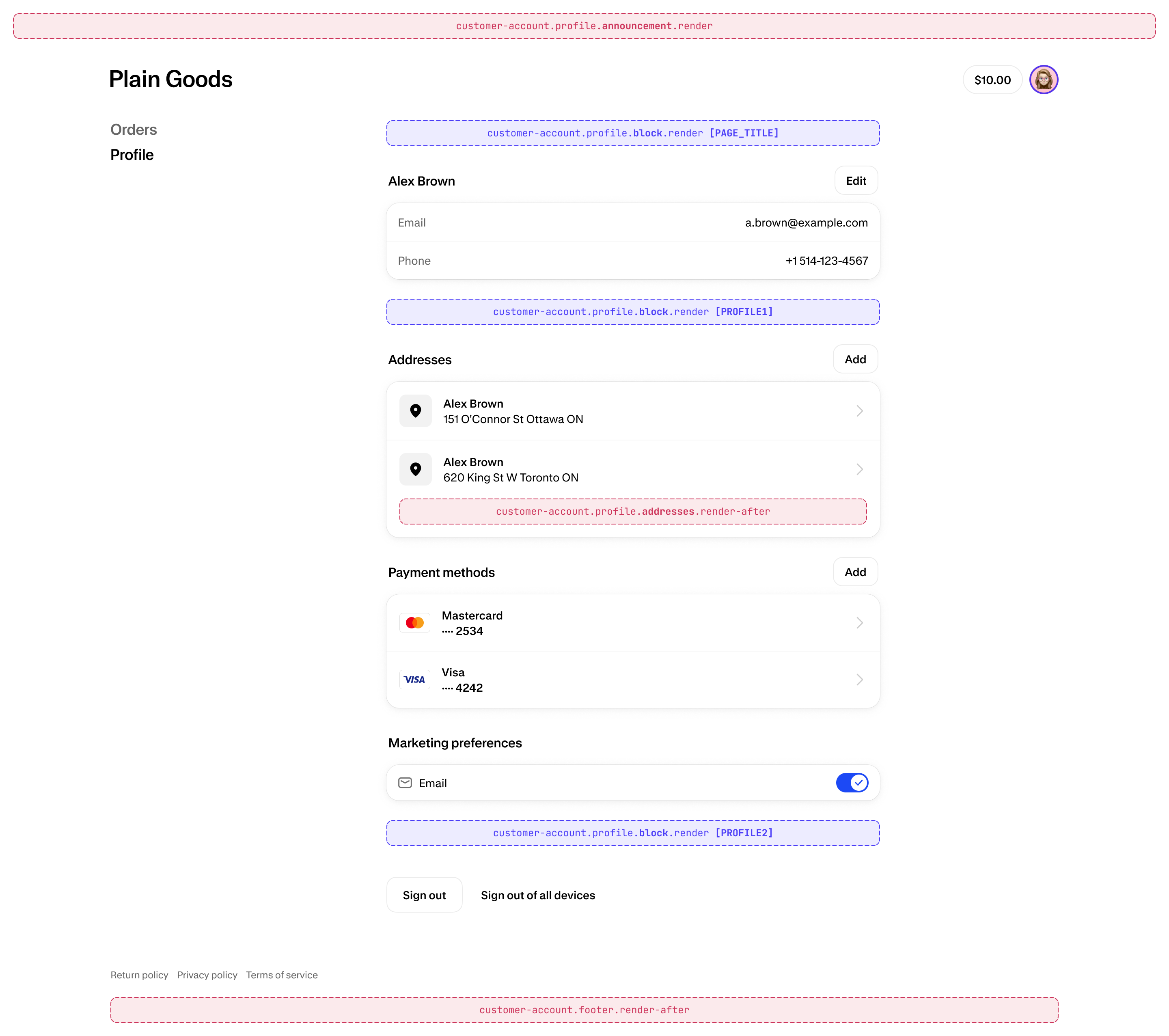
- Existing extension targets are mapped to the new layout. See extension targets by page for more information.
- Layout is simplified and consistent across desktop and mobile.
- Navigation is visible on desktop and mobile.
- More order action UI extensions are displayed inline.
- Order summary UI extensions are displayed inline, not collapsed on mobile.
- Avatar image is consistent with the account component.
Anchor to Prepare your extensions for the new layoutPrepare your extensions for the new layout
Anchor to Enable the feature previewEnable the feature preview
Get early access to the changes by enabling the Customer account improvements feature preview on a development store.
Feature previews are still under development and are subject to change.
Feature previews are still under development and are subject to change.
Anchor to Update to API version 2025-10 or laterUpdate to API version 2025-10 or later
If your extension uses API version 2025-07 or earlier, you should consider updating to 2025-10 or later to adopt Polaris web components.
If your extension uses API version 2025-10 or later, wrap any inline UI extensions that render on native pages in <s-query-container> and use responsive values so the content automatically adjusts to different screen sizes.
Anchor to Test your UI extensionsTest your UI extensions
Test your UI extensions, especially full-page extensions, in the context of the updated design.
Anchor to Apply the narrow page width (optional)Apply the narrow page width (optional)
To apply the narrow page width to your full-page extension, wrap your extension in the following code, depending on what API version you're using:
2026-07 or later:
In this API version, full-page extensions built with the Page component default to the narrow width automatically. If you need additional space on desktop, set inlineSize="large" on the Page.
2025-10 to 2026-04:
jsx
2025-07 or earlier:
jsx
Anchor to Extension targets by pageExtension targets by page
See where the new layout renders the existing customer account extension targets.
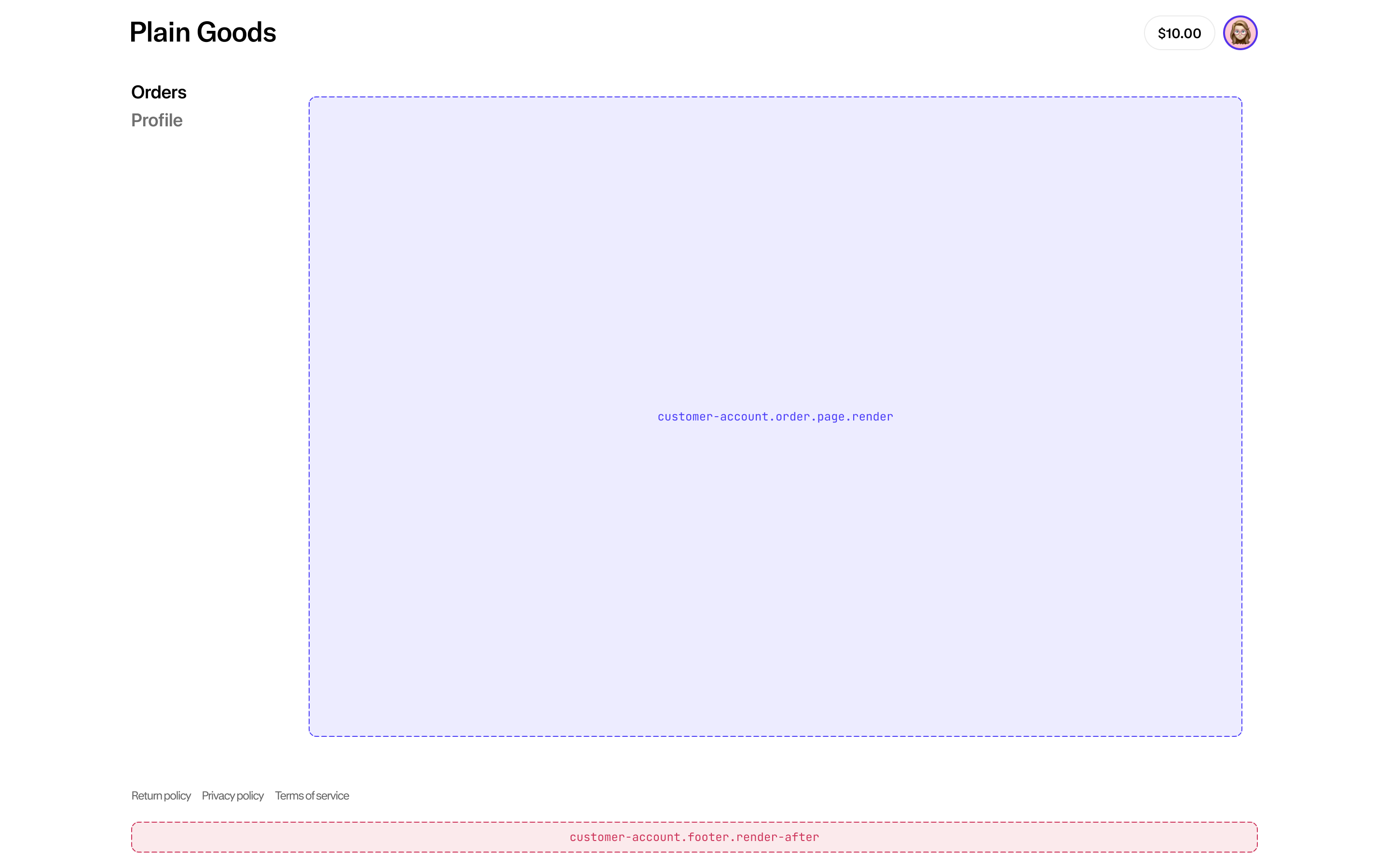
Anchor to Full-page extension (default width)Full-page extension (default width)
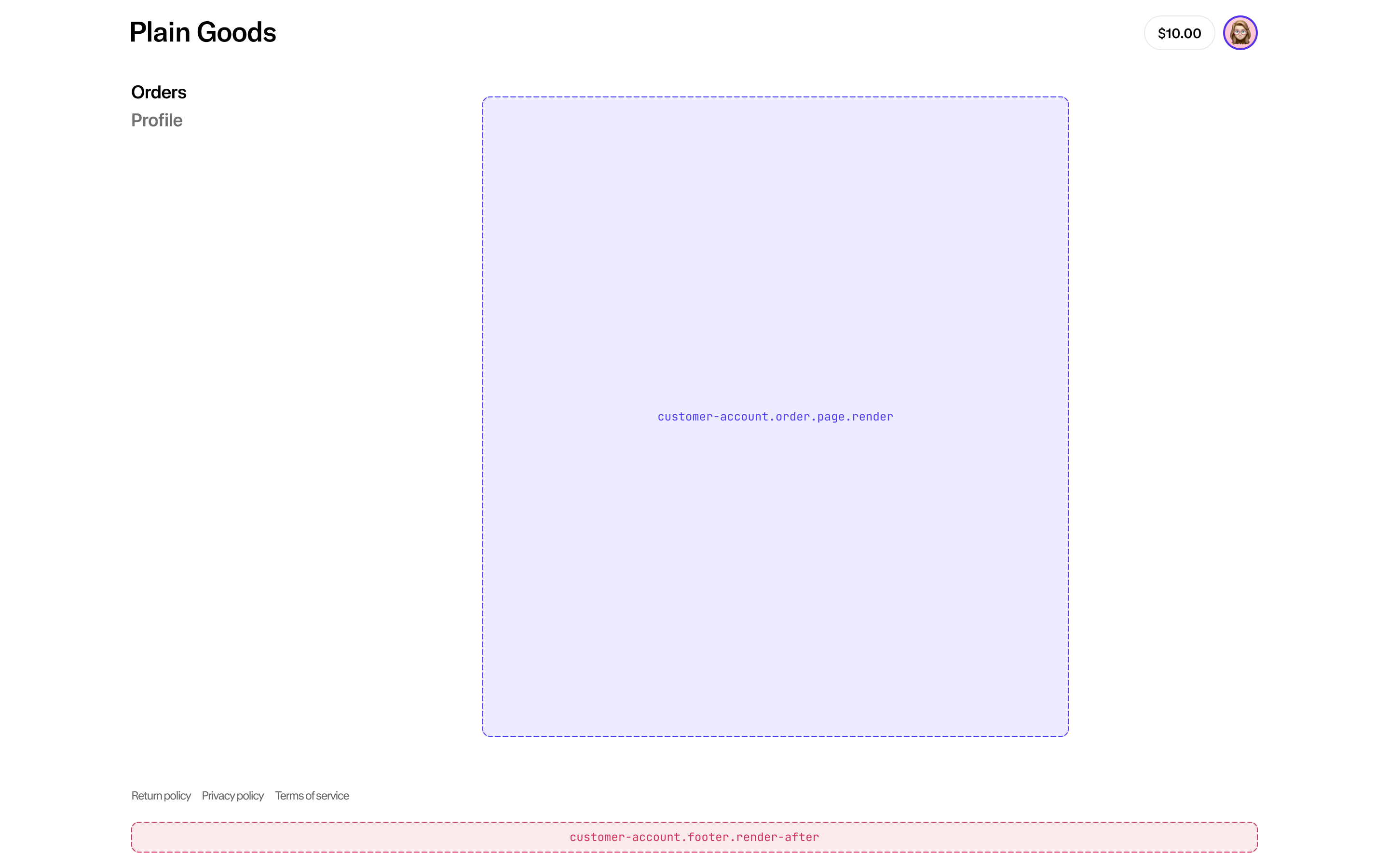
Anchor to Full-page extension (narrow width)Full-page extension (narrow width)
Adapt your full-page extension to use the narrow width by following these instructions.
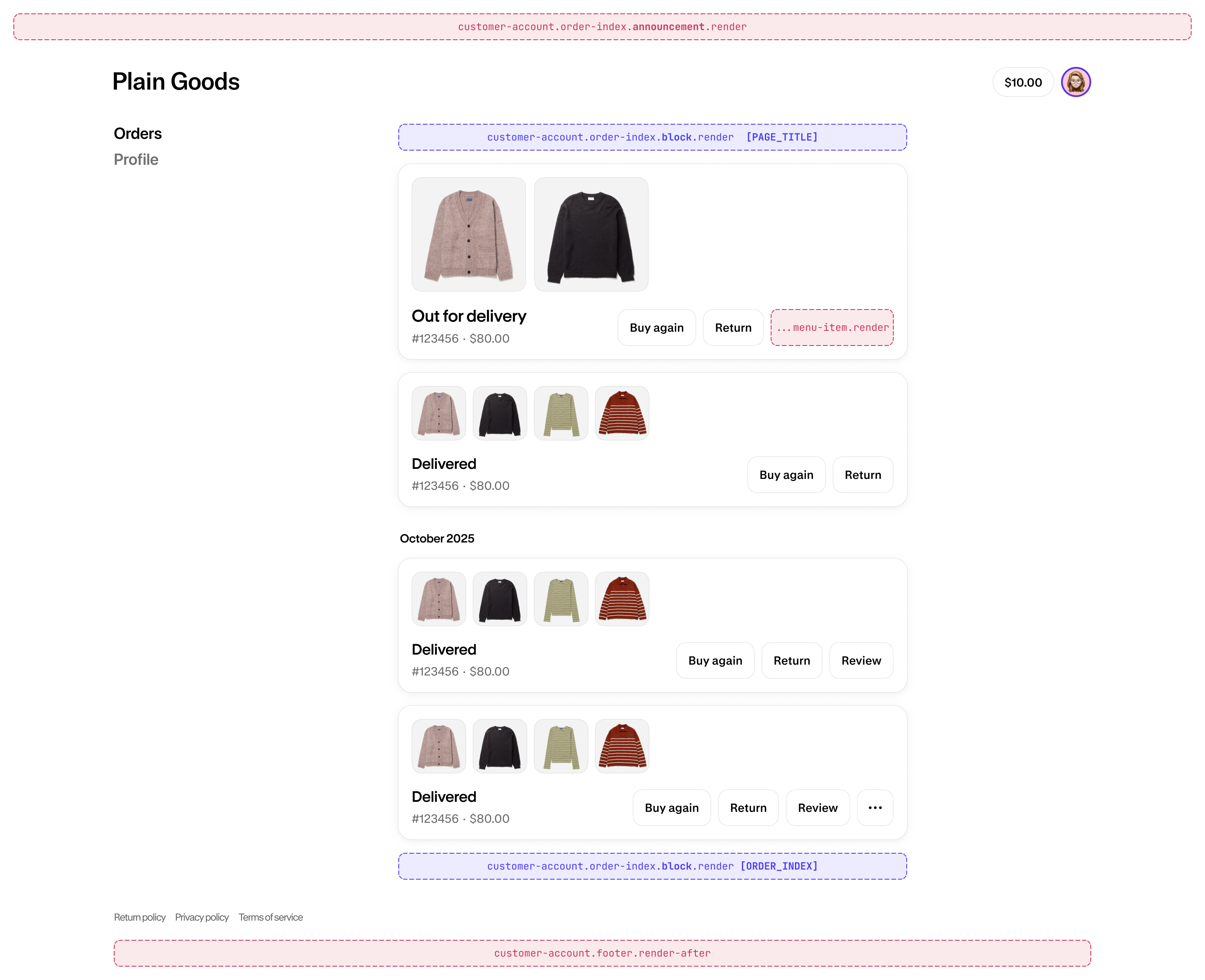
Anchor to Order indexOrder index
Anchor to Order statusOrder status
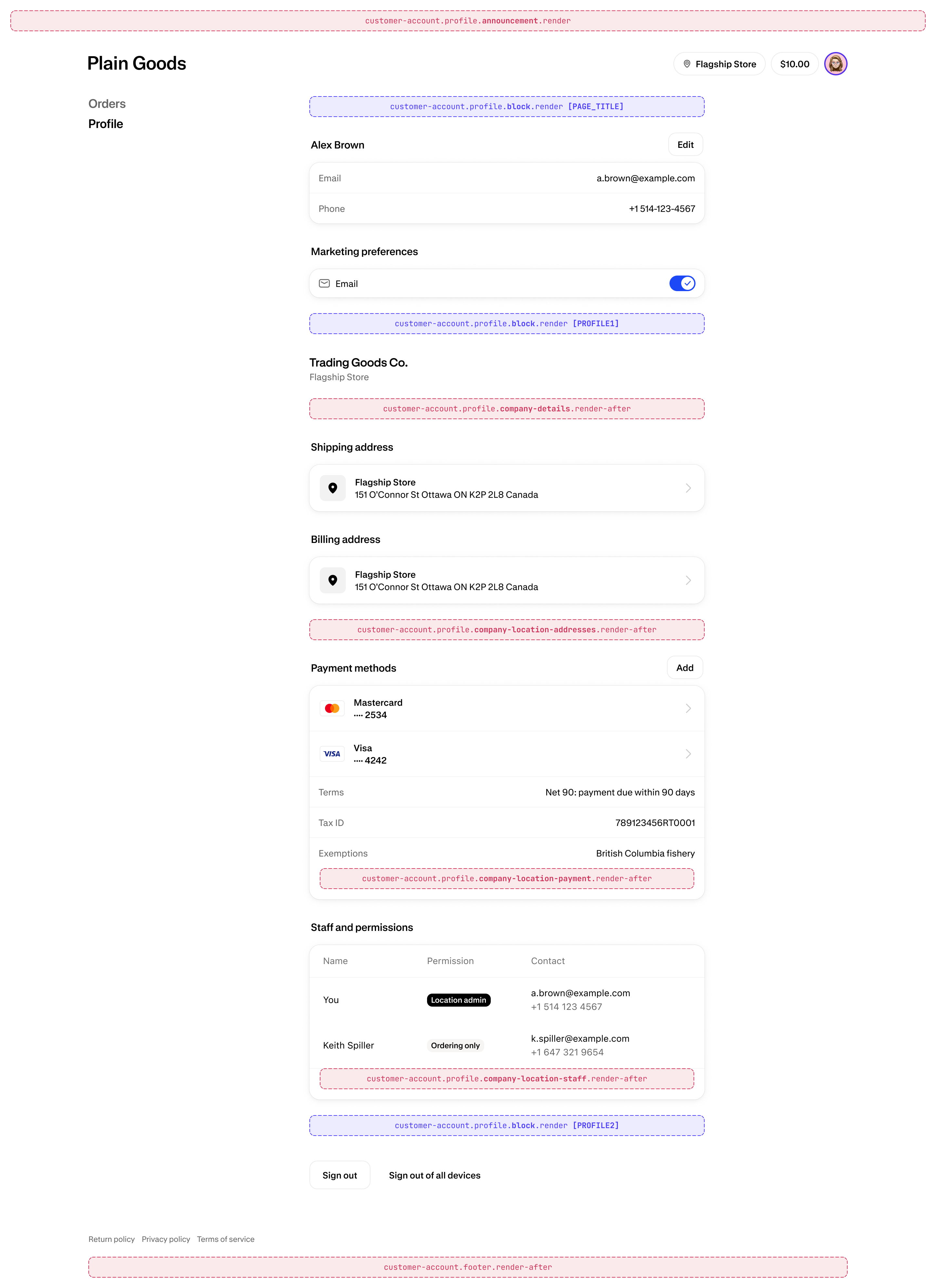
Anchor to Profile (default)Profile (default)
Anchor to Profile (B2B)Profile (B2B)