Admin intents
Admin intents let you launch Shopify's native resource editors directly from your app. Instead of building custom forms for creating or editing Shopify resources, you call a single API and Shopify opens the same editors merchants already know. When they're done, they return to your app.
This guide covers how admin intents work, what you can do with them, and where they're available.
Anchor to How it worksHow it works
Your app calls shopify.intents.invoke() with an action (create or edit) and a type. Shopify opens the native editor as a contextual overlay. The merchant completes their action using the full-featured editor, and control returns to your app with the result.
Because the editors are built and maintained by Shopify, your app automatically benefits from new fields, validation rules, and UX improvements without any code changes.
Admin intents are available in the following contexts:
- App Home (iframe): Requires the latest version of App Bridge.
- App Home UI extensions: Requires API version
2026-07or later. - Admin UI extensions: Requires API version
2026-04or later.
Anchor to Creating resourcesCreating resources
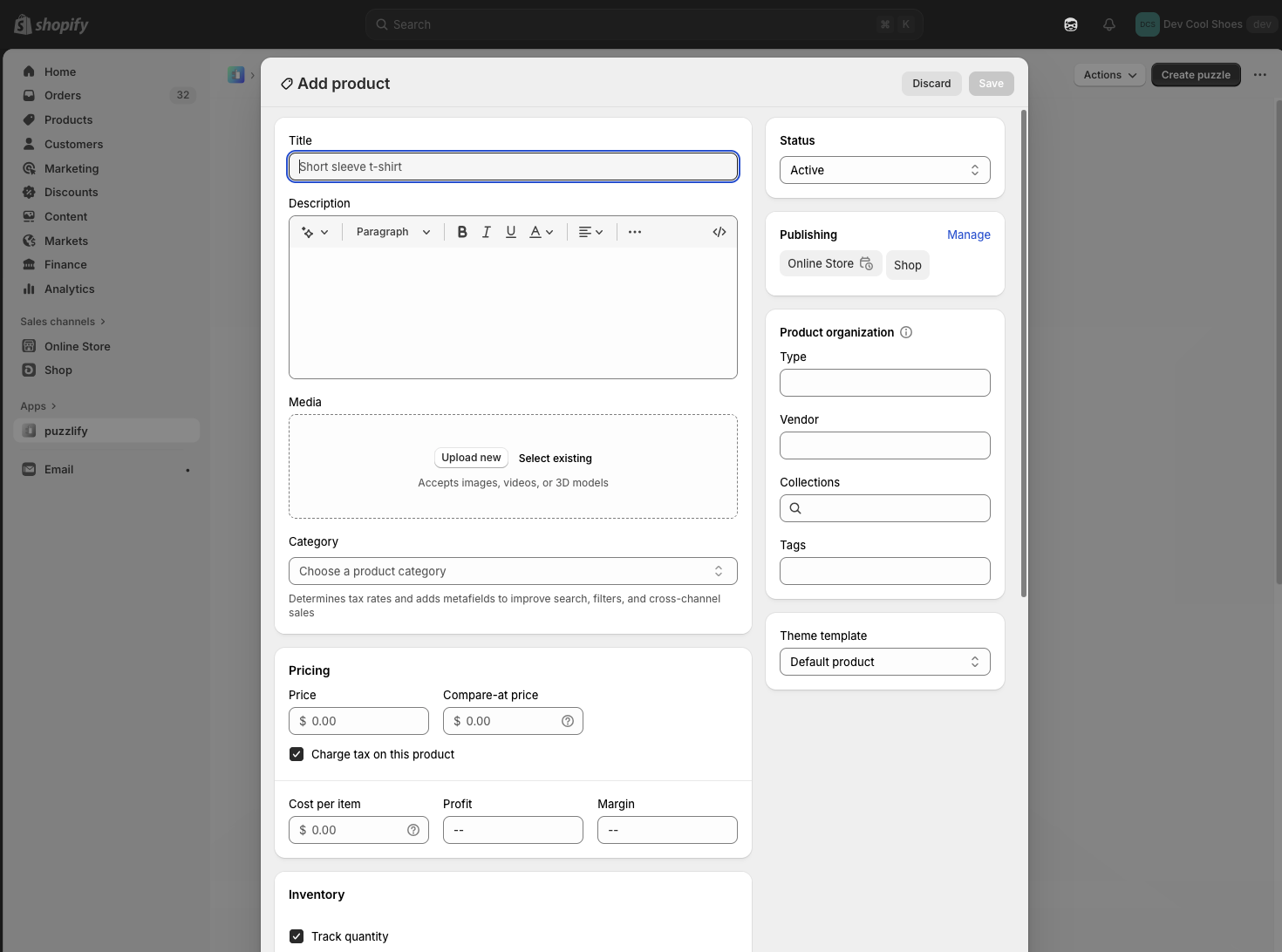
You can open the native editor for creating a new resource by specifying the create action and a resource type.
Create a new product
Anchor to Editing resourcesEditing resources
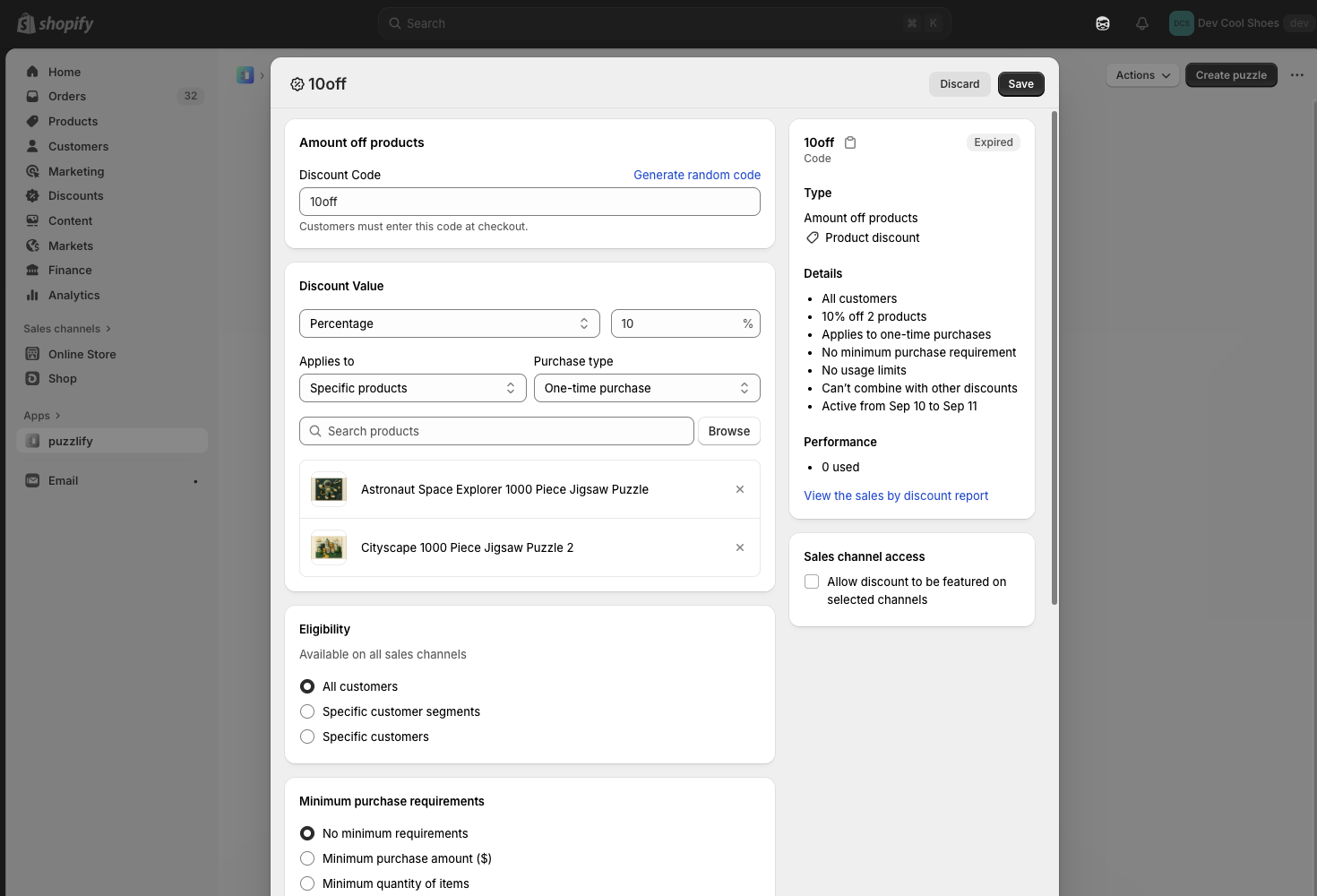
You can open the native editor for an existing resource by specifying the edit action, a resource type, and a resource GID.
Store settings work differently: a settings edit takes a settings type instead of a resource type, and no GID. See Supported resources for the Intents API reference in each context.
Edit an existing discount
Anchor to Import into Partner appsImport into Partner apps
The create and edit verbs route to Shopify's native editors. Partner apps can register their own import (and import+bulk) intents on shopify/Product, shopify/Customer, and shopify/Order, enabling you to hand a Shopify resource off to a Partner app's import workflow without leaving your flow. See Use extensions to surface app actions for the Partner-side authoring guide.
Pass a single GID in value when you want the Partner app to act on one Shopify resource at a time, for example when the merchant has selected a single product in your app's UI:
Hand a single product GID to a Partner's import handler
Pass an array of GIDs in value for the import+bulk variant when the Partner app should process many resources in a single workflow, for example a multi-select import flow:
Hand an array of product GIDs for bulk import
Unlike create: and edit:, which always route to Shopify's native editors, import: is fulfilled by Partner apps that have registered a matching intent. Resource type names are case-insensitive. shopify/Product and shopify/product resolve to the same intent.
Anchor to Supported resourcesSupported resources
Admin intents support Shopify resources like products, collections, customers, and discounts, plus edit-only intents for store settings areas. Some resource types require additional data parameters when you invoke them.
For the complete list of supported resource types, including required data parameters, see the Intents API reference for the context you're building in:
Anchor to Next stepsNext steps
- Explore the full Intents API reference for App Home (iframe), App Home UI extensions, or admin UI extensions for advanced usage like handling responses and passing data parameters.