Nested cart lines
For Checkout UI Extensions, nested cart lines are only available on version 2025-10 and above.
For Checkout UI Extensions, nested cart lines are only available on version 2025-10 and above.
Nested cart lines define parent-child relationships between items in the cart, checkout, and order. This supports product add-ons, such as warranties, protection plans, and service fees, that attach to a parent product in the cart. For example, you might attach an extended warranty to a TV. Unlike regular cart lines, nested cart lines are always ordered after their parent line, and Shopify removes them from the cart if the parent line is removed. A variant can't nest under itself because Shopify considers it a circular reference.
Your app can create nested relationships using Shopify's Cart APIs and Checkout UI extension API. Shopify renders these relationships throughout the buyer and merchant journey, including cart, checkout, and post-purchase surfaces such as order confirmation emails and order status pages.
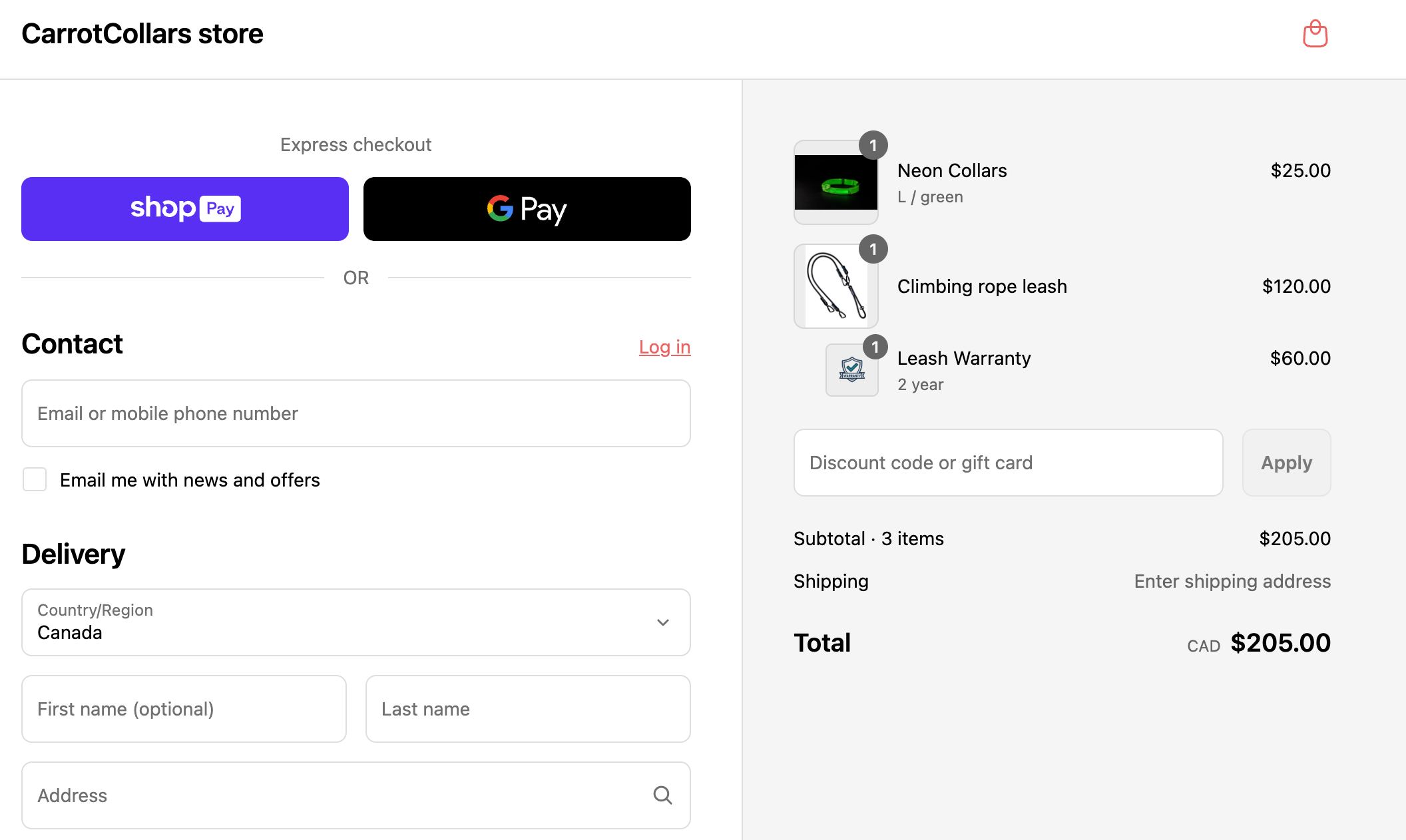
The following screenshot shows Leash Warranty nested under the Climbing rope leash parent line.
Anchor to How it worksHow it works
- Your app creates the nested relationships by calling the Storefront, Cart AJAX or Checkout UI Extension API.
- Shopify will then take that and honour it across the following surfaces where applicable:
- Buyer Facing:
- Cart (Horizon and Dawn based themes)
- Checkout and Thank you Page
- Order Status page
- Order related and abandoned checkout emails
- Merchant Facing:
- Admin Abandoned Checkout
- Admin Order details
Anchor to LimitationsLimitations
Nested cart lines work automatically throughout the platform, except in these areas:
- Bundles: You cannot nest add-ons under bundle parents or components at this time.
- Draft Orders: Creating nested cart lines via the draft order API.
- Immutable: Once set, a nested cart line's parent relationship cannot be modified.
- Multi-level nesting: Only one level of parent-child is allowed.
- Order Editing: Creating nested cart lines via Order Editing.
- POS: Creating nested cart lines in POS.
- Scripts: Not supported - when the script editor app is installed, nested relationships cannot be created.
For online store product pages, accelerated checkout supports adding multiple products, including nested items. Learn how to set up accelerated checkout with multiple products from the product page.
In nested line instructions, canRemove and canUpdateQuantity are read-only instructions and cannot be modified.
In nested line instructions, canRemove and canUpdateQuantity are read-only instructions and cannot be modified.
Anchor to CartTransform operations on nested cart linesCart
CartTransform operations on nested cart lines have the following behaviors:
- When
lineUpdateis applied to a parent or child in a nested relationship:- The update is applied.
- The nested relationship is preserved.
- When
linesMergeis applied to a parent or child in a nested relationship:- The lines aren't merged.
- The cart is unchanged.
- When
lineExpandis applied:- On parent line:
- The parent is expanded.
- Its child lines are removed from the cart.
- On a child nested line:
- The operation runs and the child's presentation can change according to the arguments passed to
lineExpand. - The parent/child relationship remains.
- The operation runs and the child's presentation can change according to the arguments passed to
- On parent line:
Anchor to Next stepsNext steps
- Learn how to create and query nested cart lines