Ordered list
The ordered list component displays a numbered list of related items in a specific sequence. Use ordered list to present step-by-step instructions, ranked items, procedures, or any content where order and sequence matter to understanding.
Ordered lists automatically number items and support nested lists for hierarchical content organization. For items where order doesn't matter, use unordered list.
List items must be direct children of s-ordered-list — wrapping them in other elements breaks automatic numbering.
Supported targets
- customer-account.
footer. render-after - customer-account.
order-index. announcement. render - customer-account.
order-index. block. render - customer-account.
order-status. announcement. render - customer-account.
order-status. block. render - customer-account.
order-status. cart-line-item. render-after - customer-account.
order-status. cart-line-list. render-after - customer-account.
order-status. customer-information. render-after - customer-account.
order-status. fulfillment-details. render-after - customer-account.
order-status. payment-details. render-after - customer-account.
order-status. return-details. render-after - customer-account.
order-status. unfulfilled-items. render-after - customer-account.
order. action. menu-item. render - customer-account.
order. action. render - customer-account.
order. page. render - customer-account.
page. render - customer-account.
profile. addresses. render-after - customer-account.
profile. announcement. render - customer-account.
profile. block. render - customer-account.
profile. company-details. render-after - customer-account.
profile. company-location-addresses. render-after - customer-account.
profile. company-location-payment. render-after - customer-account.
profile. company-location-staff. render-after - customer-account.
profile. payment. render-after
Supported targets
- customer-account.
footer. render-after - customer-account.
order-index. announcement. render - customer-account.
order-index. block. render - customer-account.
order-status. announcement. render - customer-account.
order-status. block. render - customer-account.
order-status. cart-line-item. render-after - customer-account.
order-status. cart-line-list. render-after - customer-account.
order-status. customer-information. render-after - customer-account.
order-status. fulfillment-details. render-after - customer-account.
order-status. payment-details. render-after - customer-account.
order-status. return-details. render-after - customer-account.
order-status. unfulfilled-items. render-after - customer-account.
order. action. menu-item. render - customer-account.
order. action. render - customer-account.
order. page. render - customer-account.
page. render - customer-account.
profile. addresses. render-after - customer-account.
profile. announcement. render - customer-account.
profile. block. render - customer-account.
profile. company-details. render-after - customer-account.
profile. company-location-addresses. render-after - customer-account.
profile. company-location-payment. render-after - customer-account.
profile. company-location-staff. render-after - customer-account.
profile. payment. render-after
Anchor to Use casesUse cases
- Checkout steps: Guide customers through a numbered sequence of actions like review, confirm, and pay.
- Return procedures: Walk customers through the steps to initiate and complete a return.
- Setup instructions: Present numbered configuration steps for subscription or account setup.
- Priority rankings: Display ranked options like shipping speeds from fastest to most affordable.
Anchor to PropertiesProperties
Configure the following properties on the ordered list component.
- Anchor to idididstringstring
A unique identifier for the element. Use this to reference the element in JavaScript, link labels to form controls, or target specific elements for styling or scripting.
Anchor to List itemList item
Represents a single item within a list. Use only as a child of s-ordered-list or s-unordered-list components.
- Anchor to idididstringstring
A unique identifier for the element. Use this to reference the element in JavaScript, link labels to form controls, or target specific elements for styling or scripting.
Anchor to ExamplesExamples
Anchor to Add a basic numbered listAdd a basic numbered list
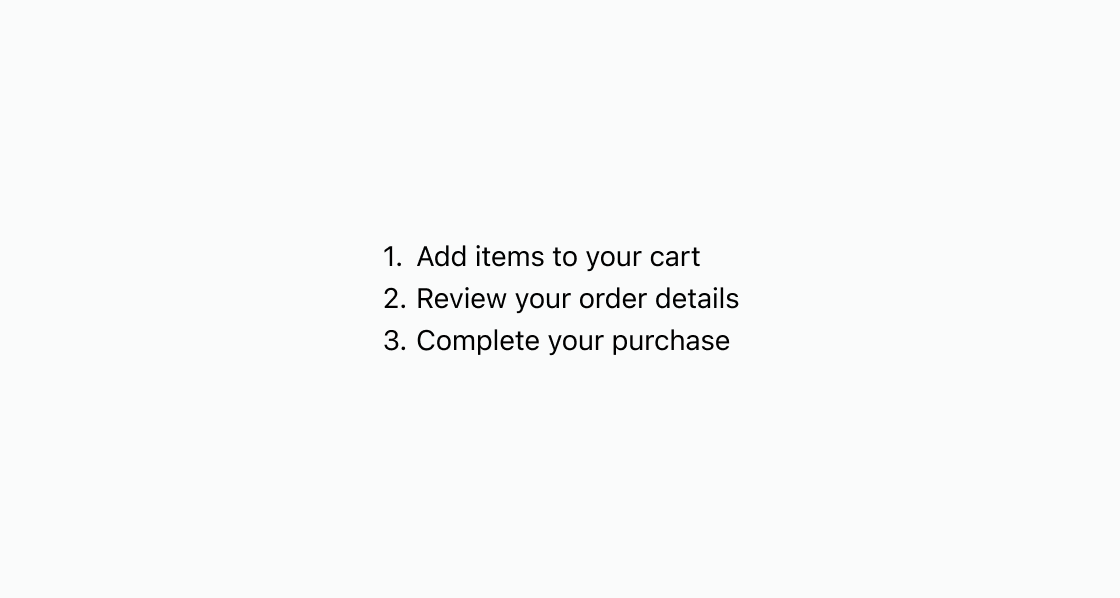
Shows a simple numbered list of account steps. Every entry must be a direct s-list-item child of s-ordered-list so numbering renders correctly.
Add a basic numbered list
html
Anchor to Best practicesBest practices
- Keep items concise: Write short, parallel list items so customers can scan the sequence quickly.
- Avoid deep nesting: Limit nested lists to one level to keep the numbered hierarchy easy to follow.